
Middle to Back Office for Staffing and Recruiting
Keep Work Moving After the Placement.
Unify onboarding, assignments, portals, time and expense, approvals, middle and back-office operations on Microsoft.
Dynamics ATS connects pre-placement requirements and onboarding with assignments, time and expense, billing, and payroll handoff. Giving candidates, clients, recruiters, and operations teams one shared process.
 Microsoft 365
 Copilot
 Dataverse
 Power Apps
 Dynamics 365
 Azure
Azure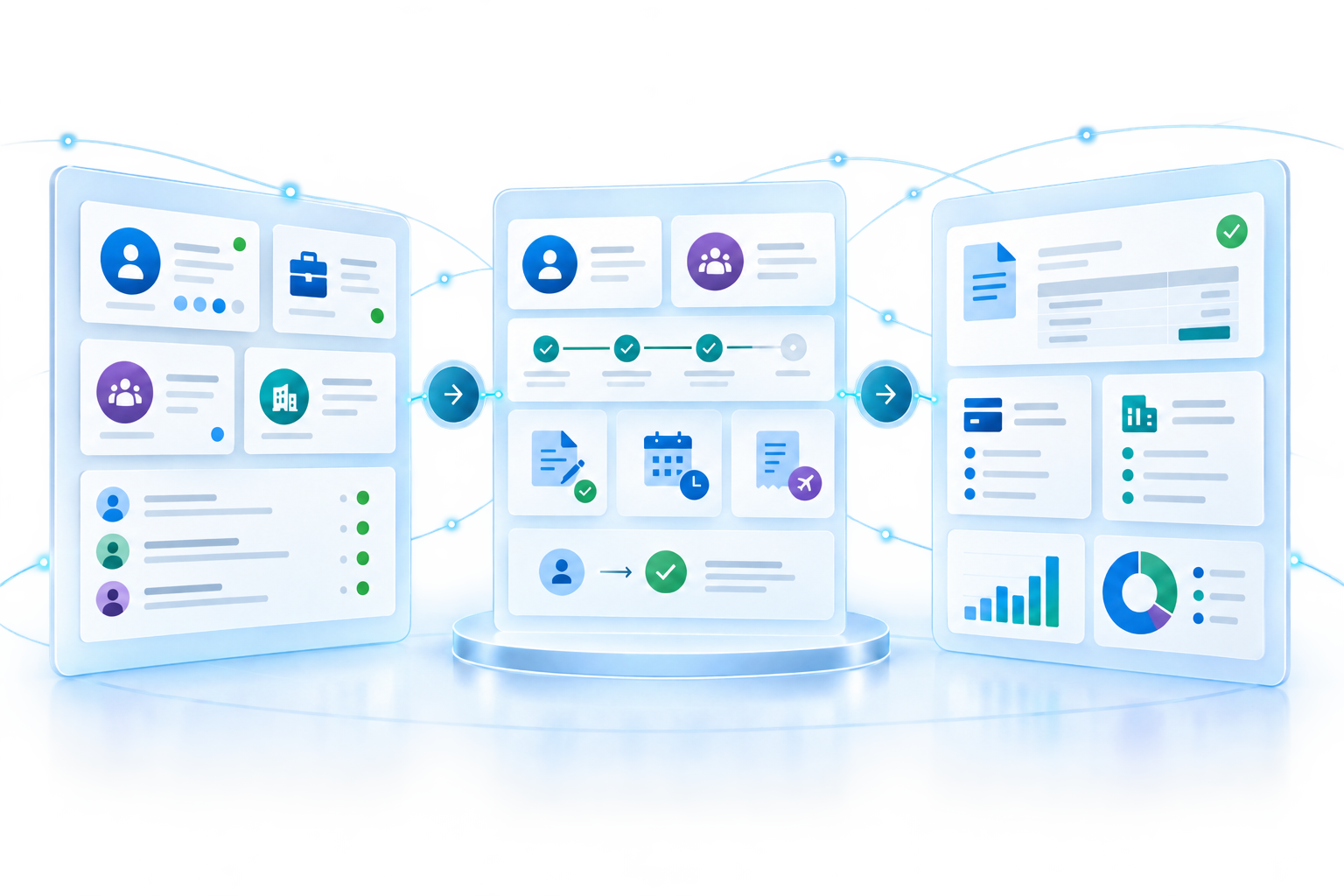
One Connected Process. From Opportunity to Cash.
Bring front, middle, and back office together on Microsoft
Recruiting, workforce operations, and finance should not run in disconnected systems.
Dynamics ATS keeps candidate, client, job, placement, assignment, time, expense, and approval data connected. Then makes approved operational information available to Microsoft Dynamics 365 Business Central, Dynamics 365 Finance or other payroll, and accounting systems.
Each team gets the workflow it needs while your business maintains one connected source of information.
Why Dynamics ATS Middle Office Is Different
Bring internal operations, external self-service, and back-office systems together without forcing every participant into the same application.
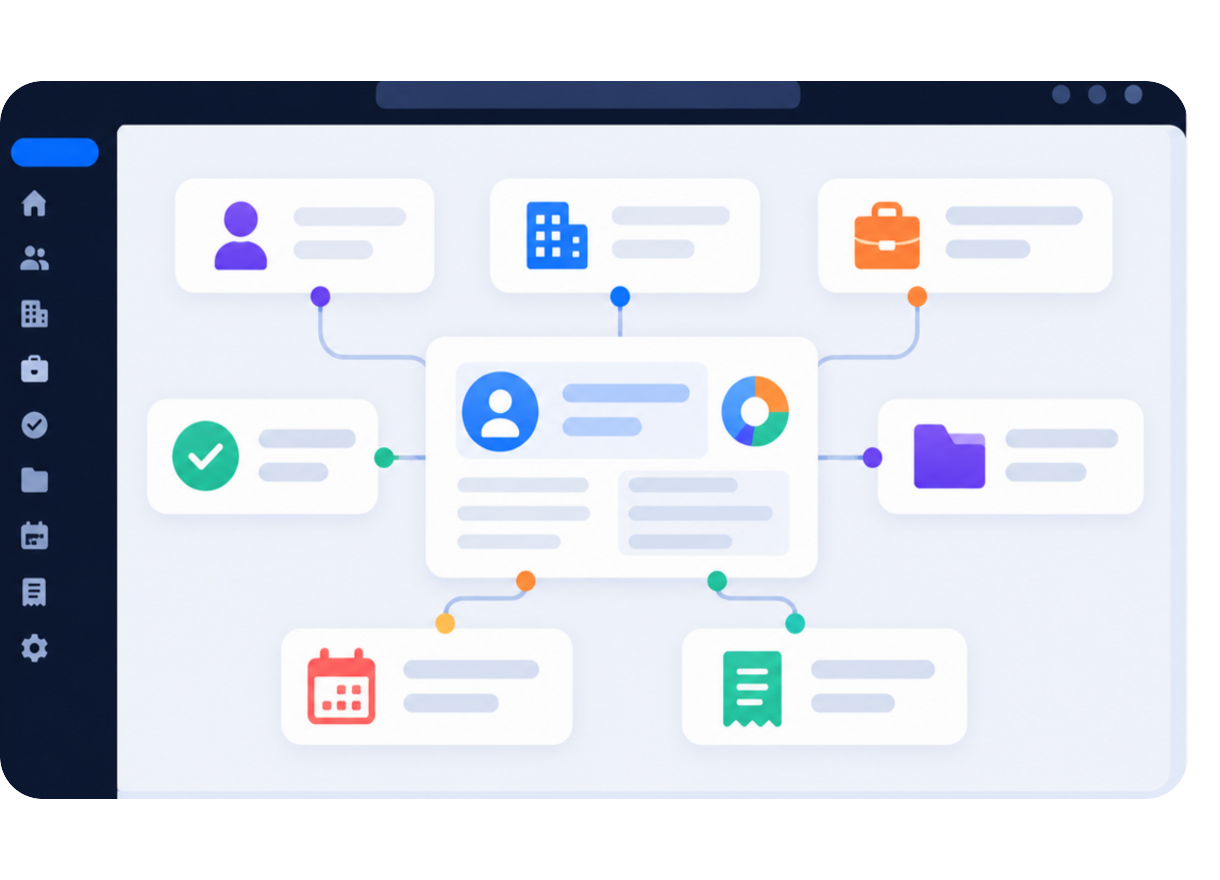
One Connected Operational Record
Keep candidate, client, job, placement, assignment, project, time, expense, and approval data connected instead of reconciling separate systems.
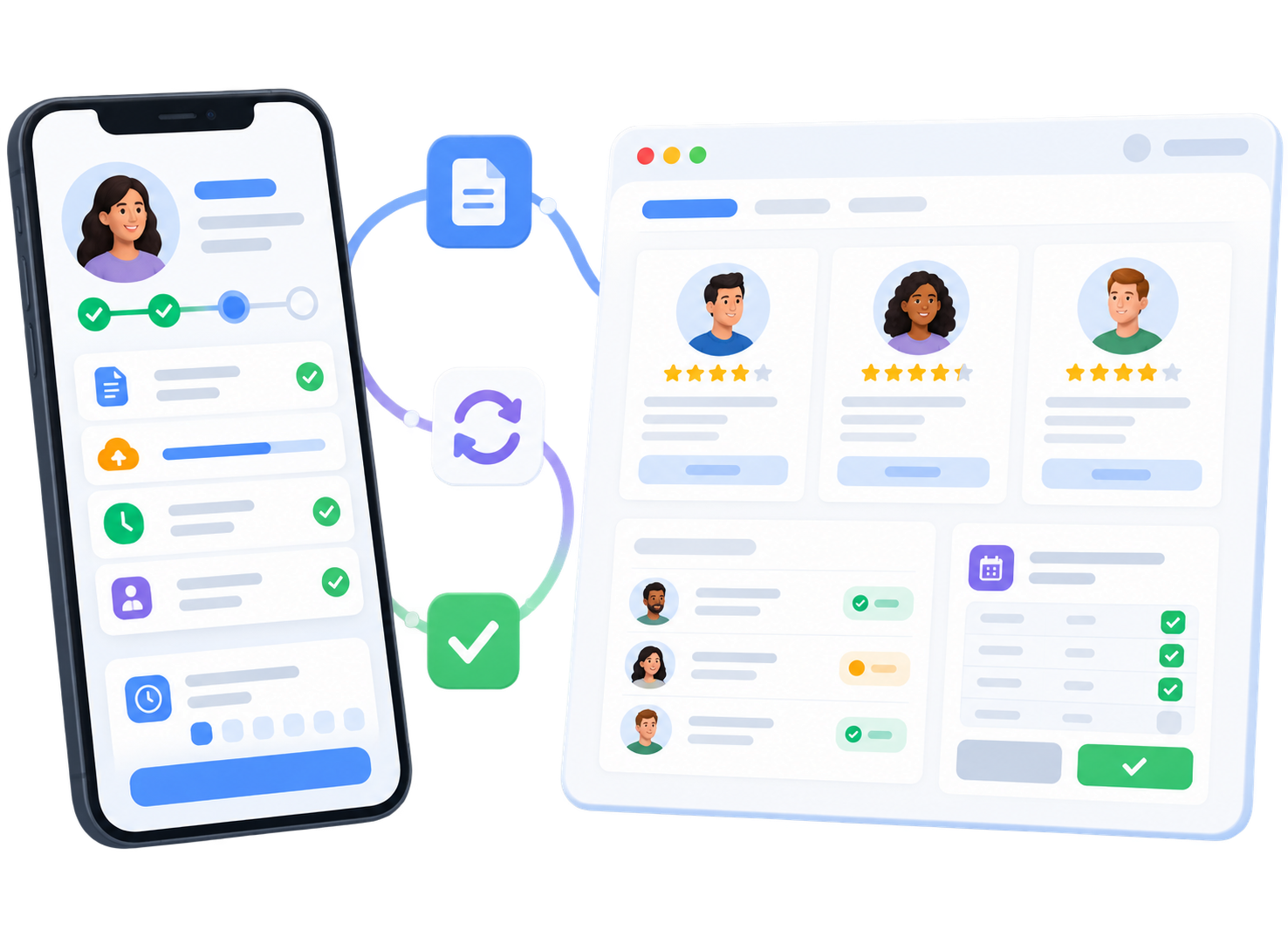
Candidate and Client Self-Service
Use secure portals to bring candidates, workers, clients, and managers directly into onboarding, feedback, time and expense, and approval workflows.
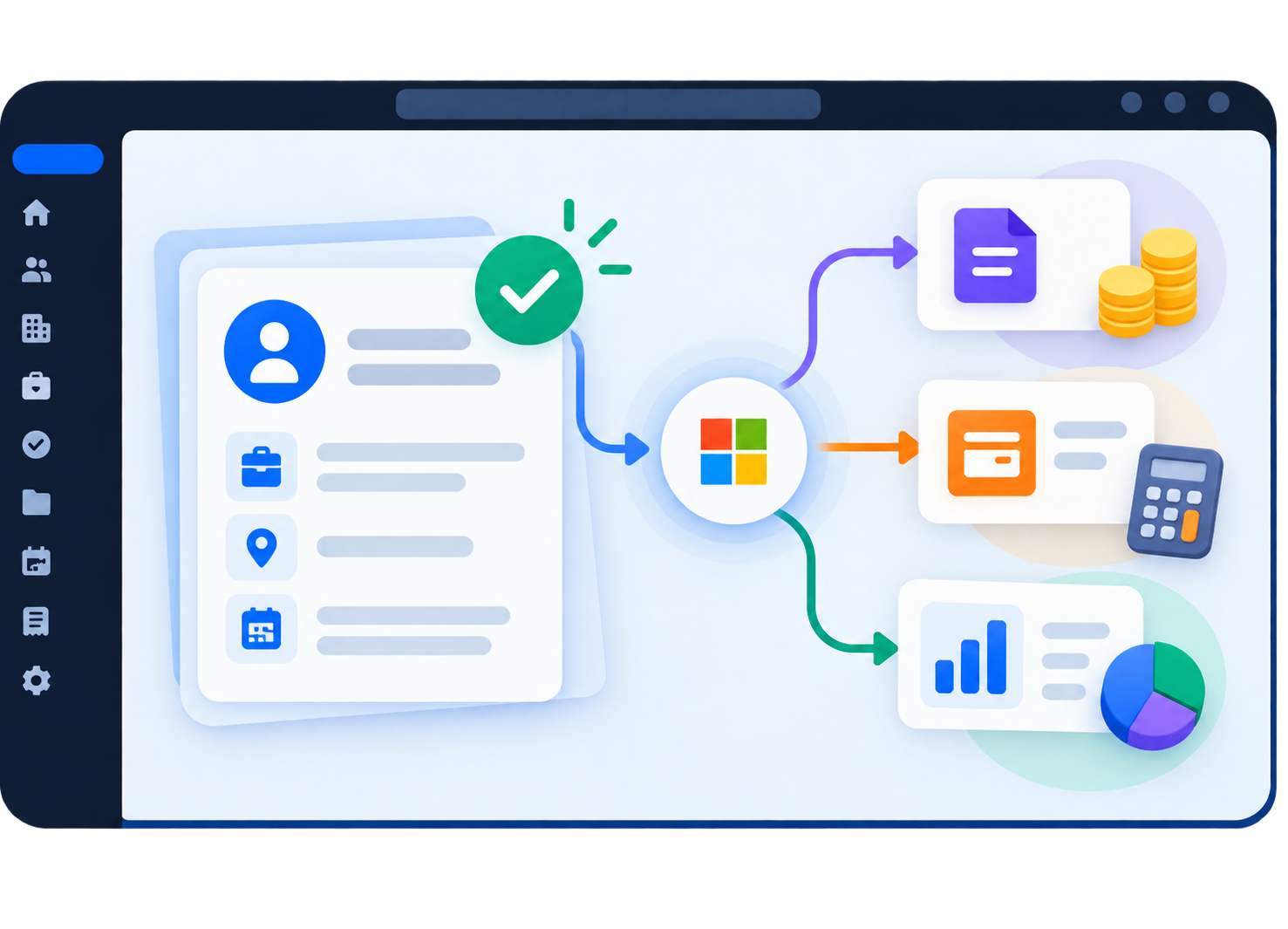
Front, Middle to Back Office
Make approved operational data available to Dynamics 365 Business Central, Dynamics 365 Finance or other payroll, and accounting systems.
The Goal is Simple
Eliminate handoff gaps, reduce duplicate work, and keep every team working from connected operational data.
Everything You Need Before and After Placement
Recruiting-to-Operations Visibility
Connect candidate pipelines, placements, onboarding, assignments, and operational workflows in one platform.
Candidate & Client Portals
Give candidates, contractors, clients, and hiring managers secure self-service access to onboarding, documents, assignments, feedback, timesheets, and approvals.
Assignment & Project Tracking
Manage active assignments, workforce allocation, project involvement, and operational handoffs after placement.
Onboarding Workflow Management
Streamline onboarding processes with centralized documentation, communication, and workflow automation.
Time & Expense Management
Support operational workflows with time tracking, expense capture, and project-related activity visibility.
Pay & Bill Process Support
Maintain visibility into bill/pay structures, placement context, invoicing, payroll and operational coordination.
Centralized Candidate & Workforce Data
Access complete candidate profiles, placement history, communication records, and assignment information in one system.
Built on the Microsoft Ecosystem
Dynamics ATS is built on Microsoft technologies and works natively with Microsoft 365, Teams, Outlook, SharePoint, Power BI, and Microsoft Copilot.
Operational Reporting & Analytics
Gain visibility across recruiting performance, placements, project activity, workforce operations, and delivery metrics.
See the Path from Placement to Payment
Discover how Dynamics ATS connects placements, workforce operations, client approvals, and Microsoft back-office systems in one continuous process
What our customers say
We’re proud to serve our customers and value their feedback
 5.0 rating on Microsoft AppSource (100+ reviews)
View verified reviews on AppSource →








Lindsay
COO/AI Transformation Principal
Great Partner for 8 Years!
We have really enjoyed our partnership with Dynamics ATS for the last 8 years. The entire team is always available to answer questions and give guidance and their continuous improvements to their ATS tool has given us increased visibility into our recruiting process. We couldn’t do it without them!

Megan
Operations Manager
A Trusted Partner
We’ve had a great experience with Dynamics ATS over the past five years. Their team made our transition from Salesforce seamless and has consistently supported us with data migrations, process improvements, and troubleshooting. Everyone we’ve worked with is responsive, knowledgeable, and a true partner. We really value the relationship.

Angela
Chief Operating Officer
5 Years – Best Decision!
It’s hard to believe it’s been over five years since we began working with Dynamics ATS. The platform has been a true differentiator for our firm, enabling us to significantly elevate our client management, search delivery, reporting, and overall operational efficiency. Dynamics provides seamless communication and visibility across all business units, including accounting and operations while offering powerful integrations with essential tools such as LinkedIn, Demandbase, ZoomInfo, DocuSign, and other platforms we rely on daily.
Beyond the technology itself, the Dynamics support team is unparalleled. They are consistently responsive, proactive, and quick to resolve any issues, making the platform easy to adopt and scale. Dynamics has proven to be a reliable, forward-thinking ATS partner, and the solution has been integral to our growth. We confidently recommend Dynamics to any firm seeking a robust, scalable, and best-in-class ATS platform, and we look forward to continuing our partnership for many years to come.

Dennis
CEO
Energy Staffing and Consulting business grows with Dynamics ATS!
Pros:
At The Vessel Group we needed a platform that would be easy to use, easy to configure to our business needs and cost effective. Dynamics ATS is all three
Cons:
Dynamics ATS has been refreshing to work with and we don’t have anything negative to say about our experience.
Comments:
The Vessel Group is a full service staffing and consulting firm in the energy industry. Our ATS software is core to the success of our business and with Dynamics ATS we are 40% faster in our time to fill rate and can do more with less. We are providing a better candidate and client experience which are keys to our success. This is a true customer candidate relationship management application tracking system. The customer support is top notch and understands our business. We could not ask for a better CRM ATS partner.

Ryan
Owner
“We are placing people faster, managing our contractors and processes from opportunity to cash more effectively and this company continuously goes above and beyond to support us. Thanks, DCRS!”

James
Manager
Cogent chooses Dynamics ATS!
We needed a CRM ATS solution that would make our staff more productive and grow our business. After an exhaustive search we chose Dynamics ATS. With Dynamics ATS we serve our customers, candidates and apprentices better and more efficiently matching the right employers with the right employees.
We’ve used the product for over a year now. I am very impressed with the product features and customer support.
Cogent is a group of companies comprised of Cogent Skills, Cogent Skills Services, NSAN and SIAS. Collectively these companies’ purpose is entirely focused on skills and supporting the skills needs and ambitions of individual employers and their employees. Cogent has particular expertise in STEM and industry regulation with respect to skills and competence

Frank
Managing Director and Partner
Firebrand & Dynamics ATS are making a difference!
Helping our graduates reach their goals is a top priority for Firebrand and Dynamics ATS helps us match our great people with great companies. Easy to use and configure to our business needs, Dynamics ATS was the right choice to help us succeed. We get fantastic support, the Dynamics ATS team is dedicated to going above and beyond to meet our needs and they care about our business. With Dynamics ATS we can do more with less. Easily integrated with our website and other online communities, Dynamics ATS helps us efficiently attract, evaluate and hire the people we need.

Ali
Recruiting & Operations Specialist
Happy Customer
Pros:
The customer service is great, the employees are available and responsive. We already loved the out of the box features but the ability to customize took it to the next level! The team is very helpful, attentive and responsive making the all-around experience great.
Cons:
So far we like everything. The out-of-the-box application was great and the Dynamics CRM Recruiting Solutions team has assisted us with adding customizations to fit our processes and preferences. Some features we hoped for weren’t built-in but the team added functionality we requested.
Comments:
We are a Business Consulting firm based in the US. The Dynamics CRM Recruiting Solutions team is great to work with, their customer service is exceptional and we would recommend Dynamics ATS to anyone looking for one.

Tiffany
Owner
The ATS portion connected the system for me!
Pros:
Once we started using the ATS we could track more of our productivity. It is easy to use and helpful.
Cons:
At this time I have not found anything I do not like
Comments:
The team of people involved with the ATS are helpful, knowledgeable, and accessible. I did not want to buy a system where I could not ever talk to anyone on the customer service side. I get answers to my questions, I get responses, and I get a HUMAN. This team takes their job seriously and I appreciate that.

Chris
Business Improvement Manager
Australian Customer Experience
Cons:
Our experience is testament that there is everything to like about Dynamics CRM Recruiting Solutions – and little not to like!!! Being a US Company was a challenge for us, but the willingness of the Dynamics CRM Recruiting Solutions team to make themselves accessible soon allayed our concerns.
Comments:
We were impressed with Dynamics CRM Recruiting Solutions from the initial sales presentation through to implementation and now in the operational phase. Their passion during the initial presentation and their recruitment knowledge instilled confidence in the offering and the capability of Dynamics CRM Recruiting Solutions to meet our business needs in Australia Dynamics CRM Recruiting Solutions are responsive and extremely focused on meeting and exceeding the customers expectations. Dynamics CRM Recruiting Solutions are very willing to listen to requirements, explore options and assist with customization. Their team is always accessible which is vital when the solution provider is on the other-side of the world.

Paul
PHR-SHRM-CP Recruiting Professional
Great technology that is constantly evolving
Works seamlessly with Microsoft 365.
Cons:
This team quickly fixes any issues we have, and we can’t say we’ve had any negative experiences thus far.
Comments:
We are an IT and Management Consulting firm in the U.S. Previous to using Dynamics ATS we managed all of applicant tracking through Excel and SharePoint. Implementing this technology has allowed us to work more efficiently and streamline our processes.

Francesca
Talent Aquisition & Resourcing Lead
Director & Head of Talent Management
Pros:
The customer service and employees of the company. They are efficient, responsive and very informative.The fact this is on a Microsoft platform speaks for itself. You are able to customize this to meet your company’s needs. I have not experience another ATS that could easily meet the demands of the company unless paying for customization. Dynamics ATS is user friendly and powerful system.
Cons:
There are some features the system is not able to do but I am confident they will be there shortly.
Comments:
Dynamics ATS is powerful and easy-to-use. The cost is inexpensive and the reporting capabilities are endless. We are a large global technological service company headquarter in India. Dynamics CRM Recruiting Solutions was available to meet with our stakeholders in India along with support our US office. They were extremely responsive and never got frustrated with the questions from the recruitment team. They are able to resolve any situation and I recommend this company to anyone seeking an Applicant Tracking System. The capability of customizing the product and reporting is above standards. Their willingness to go above and beyond their responsibility is incredible. I truly have enjoyed working with Dynamics CRM Recruiting Solutions.

Neil
Talent Aquisition & Resourcing Lead
“Dynamics ATS is an excellent solution. Apart from seamlessly sitting inside our current CRM environment and integrating extremely well, the fact that it is easily customizable to fit our business needs is a huge asset. This coupled with the excellent support that the DCRS team have given us, has ensured that we have been very happy with our choice to partner with them over the multitude of ATS competitors in the market.”

Rich
Dynamics CRM Technology Specialist - Microsoft
“Available to both our Cloud and On-Premise Dynamics CRM customers, the Dynamics ATS is very easy to add-on and work with…”

Monika
Senior Recruiter
“I especially like the parsing feature and how easily I can configure the forms, dashboards and views. I would absolutely recommend Dynamics ATS to others.”

Robby
Product Director
“Works as advertised and is extremely customizable. Highly recommend for Dynamics CRM Organizations.”

Andy
CEO
“Great system!”

Aaron
Technical Recruiter
Great company, people and app
It’s extremely fast to deploy, and customizable to your company’s process. That amount of customization can’t be found anywhere else on the market. These guys are very responsive, attentive, listen to your needs, and they really understand recruiting. They aren’t just developers, like you find at most ATS companies. You’re also treated like a human, not like a number.
Cons:
There is not much I don’t like right now. They are absolutely great!

Greg
Managing Director
Outstanding customer experience which exceeded already high expectations
Pros:
Price, Usability, Outstanding customer service (seemingly available at all times of the day – even in the Australian time-zone), and highly suited for recruitment situations.
Cons:
The resume parser needs some slight tweaking with relation to typical Australian resumes.
Comments:
We are a small Recruitment Company in Australia with just 3 recruiters and a small budget. We had been evaluating MS Dynamics and Dynamics CRM Applicant Tracking and were all set for the change over from our current MS Access Database. Just prior to migrating our data (Dynamics Applicant Tracking were helping with this also), we stumbled upon the fact that the new (2013) structure of Microsoft Dynamics Licensing imposes a minimum of 5 licenses at the highest level. This would have been more than $2,000 per year higher than we had budgeted for and was not feasible for us. The team were incredibly understanding and helpful with the situation. I could not recommend this company more highly. Their assistance, customer service and willingness to go the extra mile were just outstanding.